Bad Times AI Trend Video from One Photo of You or Pet
 Bad Times AI Team
Turn any single photo of yourself or your pet into the viral Bad Times AI video. Learn the secret sauce of paw sync, identity lock, and viral TikTok pacing.
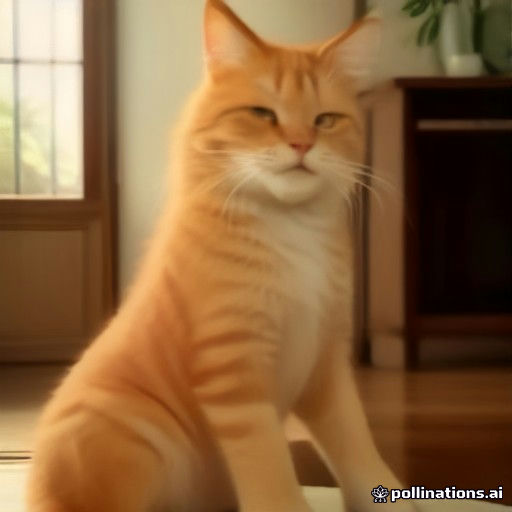
Have you ever looked at your dog sleeping on the rug or scrolled through your camera roll and thought: "What if they could throw their paws on their temples, glare at the camera, and dramatically lip-sync to a French deep house banger?"
That exact impulse is why the Bad Times AI trend took over TikTok, Instagram Reels, and YouTube Shorts. What began as a charismatic performance by French creator @bouuhyachaka set to Imael Angel's "Bad Times" track has evolved into the internet's favorite comedic template.
Yet until recently, hopping on this trend meant one of two frustrating dead ends: either spending hours fighting manual video keyframes in After Effects, or settling for cheap CapCut cutouts that slapped a static dog head onto an uncanny human body with creepy cartoon hands.
In this deep dive, we break down how the Bad Times AI Video Generator turns just one photo of you or your pet into an organic, beat-locked 15-second viral masterpiece—and how to overcome every real-world photo challenge to get studio-quality results on your first render.
The Secret Anatomy of a Viral "Bad Times" Video
Why does this specific 15-second choreography consistently rack up millions of views and sky-high retention rates? It is not just the infectious beat drop—it is the theatrical story arc compressed into four rhythmic beats:
- The Overwhelmed Opener (0:00–0:03): The subject holds their head in both hands (or paws), shaking with melodramatic exasperation. This acts as an immediate 3-second hook that stops users mid-scroll.
- The Sassy Pivot (0:04–0:07): One hand or paw rests squarely on the hip as the subject pivots sideways with attitude, perfectly synced to the rising hi-hats.
- The "Hold On" Warning (0:08–0:11): Two outstretched palms halt the viewer right before the bass drop.
- The Dramatic Camera Lunge (0:12–0:15): The subject leans directly into the lens with exaggerated facial expressions, followed by a musical cadence that loops seamlessly back to the start.
When applied to a human face, it delivers relatable, expressive comedy. When applied to a dog, cat, or toddler, the contrast between innocent cuteness and sassy theatrical drama creates pure viral magic.
Pet vs. Human Rendering: Why Generic Video AI Fails
Most multi-purpose generative video tools fail miserably on animal photos because their underlying neural networks were trained almost entirely on humans. If you feed a picture of a French Bulldog or Golden Retriever into a generic AI animator, you get three common nightmares:
- The "Human Hand" Horror: The AI attempts to draw five fleshy human fingers coming out of animal shoulders.
- The Melting Snout: As the pet lip-syncs, its muzzle twists into unnatural rubbery shapes, losing the animal's distinct breed contours.
- The Floating Decapitation: Only the head moves while the rest of the body stays frozen like cardboard.
The Bad Times AI Video Generator uses a dual-engine architecture to solve this:
1. The Quadruped Skeletal Pipeline (Pets)
Our pet pipeline identifies the animal's anatomical bone structure, coat texture, ear posture, and whiskers. Instead of human limbs, it generates authentic furry paws that realistically flex, touch the temples, and extend outward. Four-legged dogs and cats are naturally positioned onto their hind legs in an adorable standing stance while preserving 100% of their real fur markings.
2. The Identity-Lock Facial Rig (People & Babies)
For human portraits, the engine creates a dense 3D facial mesh that anchors eyebrows, cheekbones, lips, and hairstyles. Even during the vigorous head-shaking and the intense camera lunge at second 12, your facial identity never morphs into a generic stranger.
Step-by-Step: How to Generate Your Video from One Photo
You do not need to download software, install template apps, or learn prompt engineering. The entire transformation happens in the cloud in about 60 seconds:
Step 1: Pick the Right Photo from Your Camera Roll
You do not need a professional studio portrait. A candid smartphone snapshot works wonderfully if you follow three rules:
- Eye Contact: Make sure your pet or subject is looking roughly toward the lens.
- Balanced Light: Avoid harsh backlight (like standing directly in front of a bright window) that turns the face into a dark silhouette.
- Single Subject: Crop out other people or pets so the neural detector focuses cleanly on your star.
Step 2: Choose Your Version at BadTimesVideoAI.com
- Select Pet Version for dogs, cats, puppies, and kittens.
- Select People & Babies Version for adults, kids, and friends.
Step 3: Hit Generate and Download the Watermark-Free MP4
In roughly 60 seconds, the cloud GPU renders your 15-second vertical 9:16 MP4 (1080×1920) with the official Imael Angel soundtrack mastered and beat-matched. You can preview it instantly in the browser and save it directly to your mobile camera roll or desktop.
Real-World Troubleshooting: Answering Common Creator Questions
Q: My dog has floppy ears and dark fur. Will the AI lose the facial details?
A: Dark-coated pets (like Black Labs, Rottweilers, or black cats) benefit greatly from tapping your phone screen on the pet's face before taking the photo to expose the shadows. As long as the eyes and snout reflect a glint of light, the landmark detector will map the lip-sync and paw movements accurately.
Q: Can I animate a baby or toddler photo?
A: Yes! The People version works exceptionally well on babies and toddlers. The contrast of a chubby-cheeked baby executing sassy deep-house choreography with dramatic lunges is one of the highest-performing content niches on TikTok and Instagram Reels.
Q: Does the downloaded video have an annoying watermark or subscription logo?
A: No. Unlike CapCut or generic freemium apps that slap watermarks across the frame or force a monthly $19.99 subscription, Bad Times Video AI provides 100% watermark-free downloads using simple one-time credit packs from $9.99.
Q: What is the best way to post the video to TikTok for maximum views?
A: Even though the downloaded MP4 already has the Imael Angel soundtrack baked in with perfect lip-sync, we recommend this viral publishing trick:
- Upload your MP4 to TikTok.
- Tap Add sound and search for "Bad Times - Imael Angel".
- Add the official sound, tap Volume, and set the added sound to 0% (or match it to 100%).
- This links your video directly to the trending audio page, funneling viewers who browse the sound directly to your video!
Ready to Turn Your Photo into the Next Viral Sensation?
Whether you want to surprise your friends with a hilarious dancing version of yourself or make your furry companion a viral star, it takes just one picture and 60 seconds.
👉 Try the Bad Times AI Video Generator Now and bring your favorite photo to life!